← Back to Changelog
v0.3.0
v0.3.0 — February 2026
messaging sms contacts agents calls dashboard
v0.3.0 is the biggest Loquent release to date — 31 merged PRs delivering SMS messaging, deep contact intelligence, an AI-powered instruction builder, and major call handling improvements. Every part of the platform got meaningfully better.
SMS Messaging
Loquent now handles text messages alongside voice calls — all in one place.
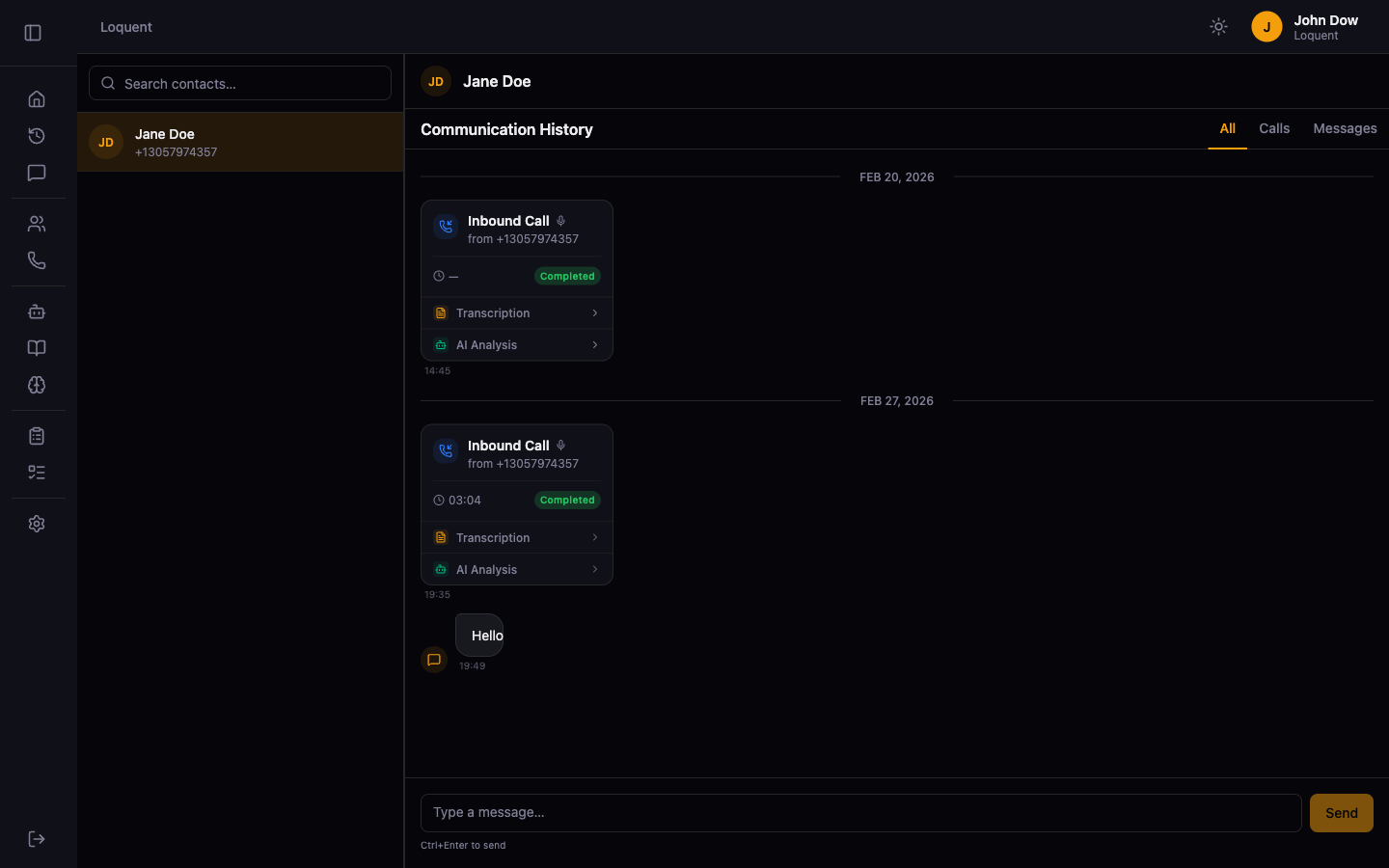
- Unified communication feed — a new
/messagingview shows every SMS and call with a contact in a single chronological feed, organized by date - Chat-style bubbles — outbound messages appear right-aligned in amber, inbound messages left-aligned, so conversations feel natural to read
- Compose bar — send an SMS directly from the feed without leaving the conversation
- Inline call cards — phone calls appear in the same feed as messages, with collapsible transcription and AI analysis sections
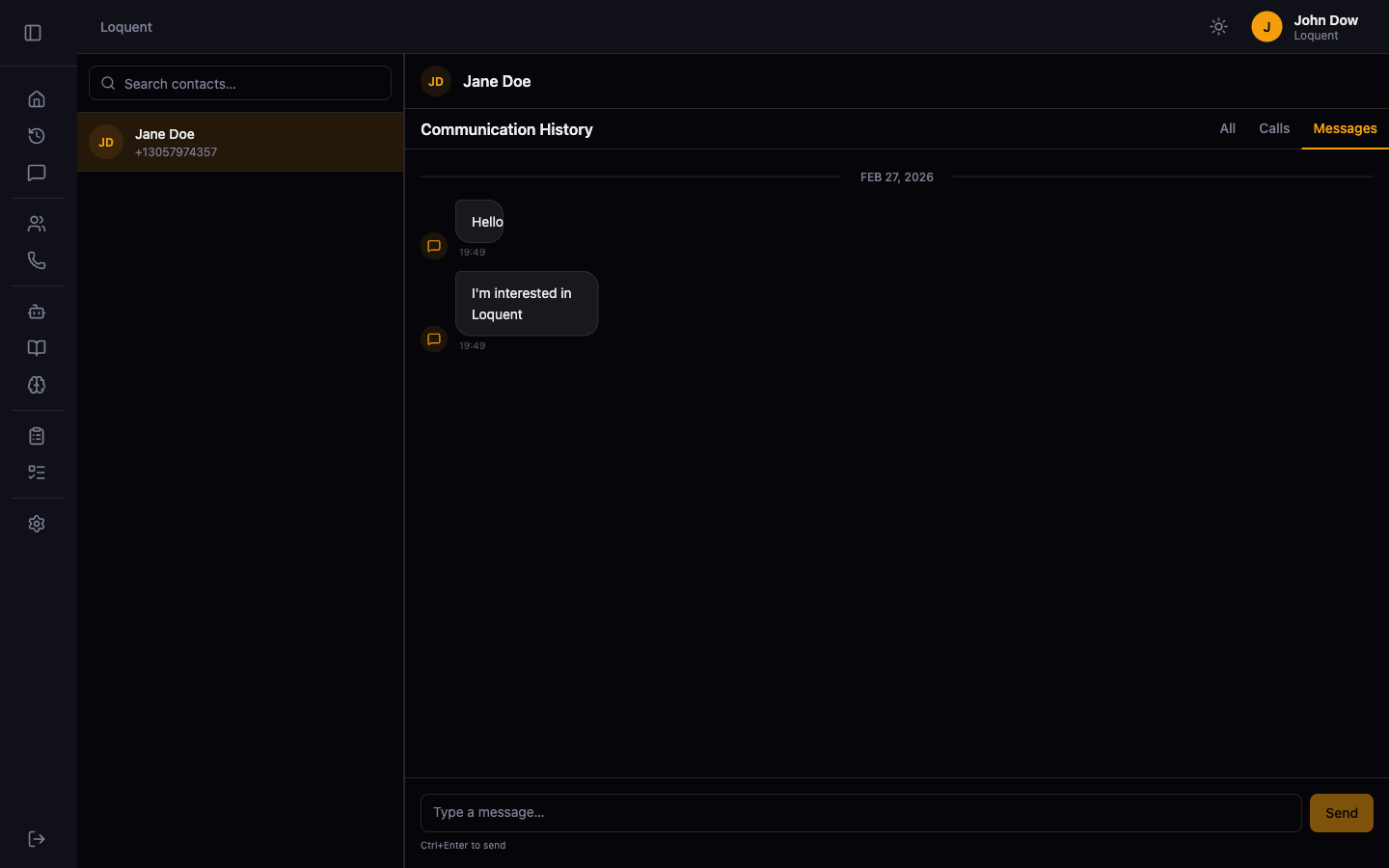
- Filter bar — switch between All, Calls, and Messages to focus on what matters
- Inbound & outbound SMS — Twilio Event Streams powers real-time inbound delivery; delivery status updates (sent, delivered, failed) arrive automatically
- Built to extend — the messaging architecture is channel-agnostic; WhatsApp, Facebook Messenger, and email are planned as future channels
Contact Intelligence
Contacts are no longer just a name and a phone number. Loquent now builds a living picture of every caller.
CRM-Style Contact View
The contact detail page is now a full three-column CRM interface.
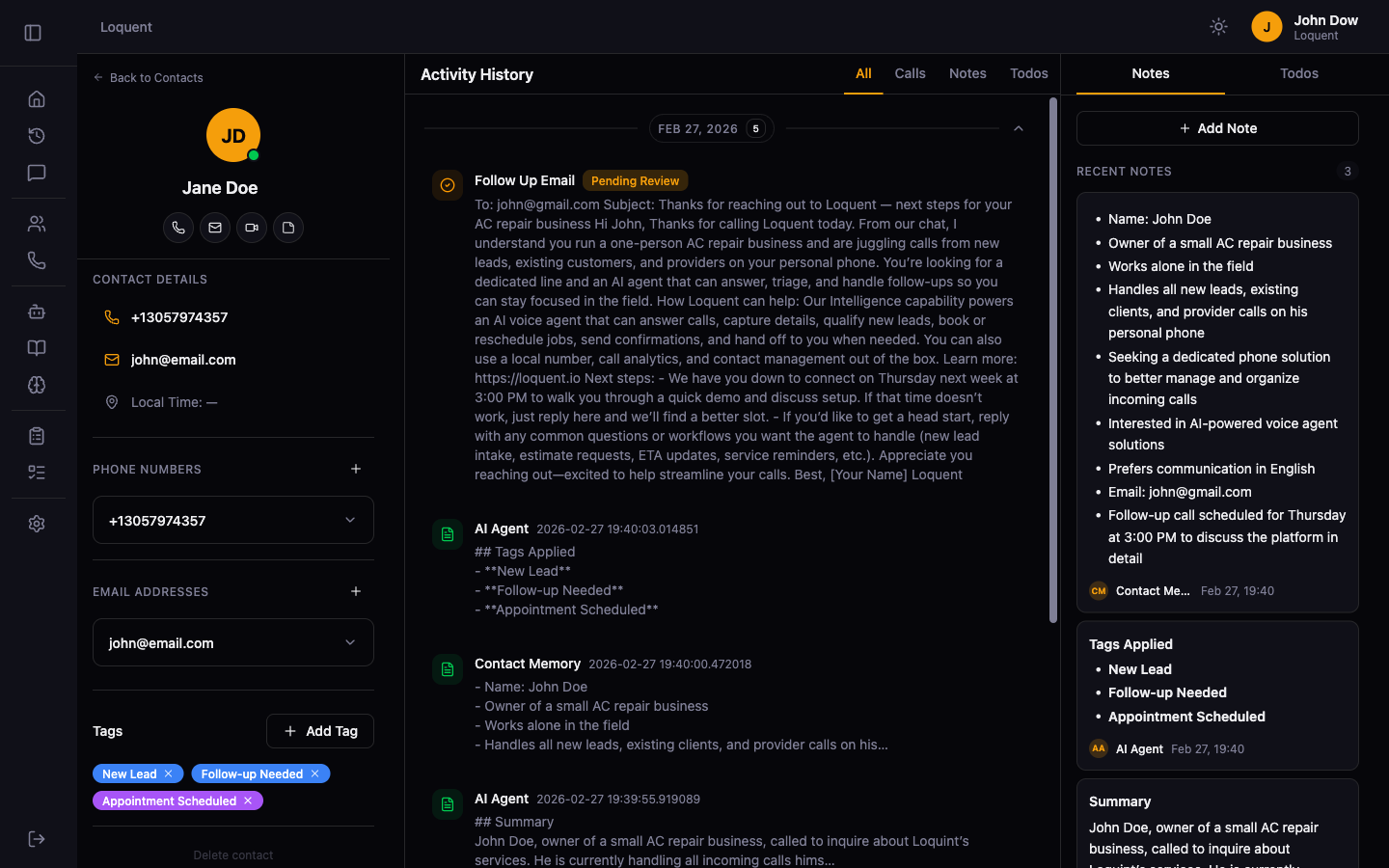
- Left sidebar — contact avatar, inline name editing, quick actions (call, email, note), tag management, and phone/email CRUD with preferred indicators
- Center activity timeline — unified feed of calls, notes, and todos with date-grouped collapsible sections
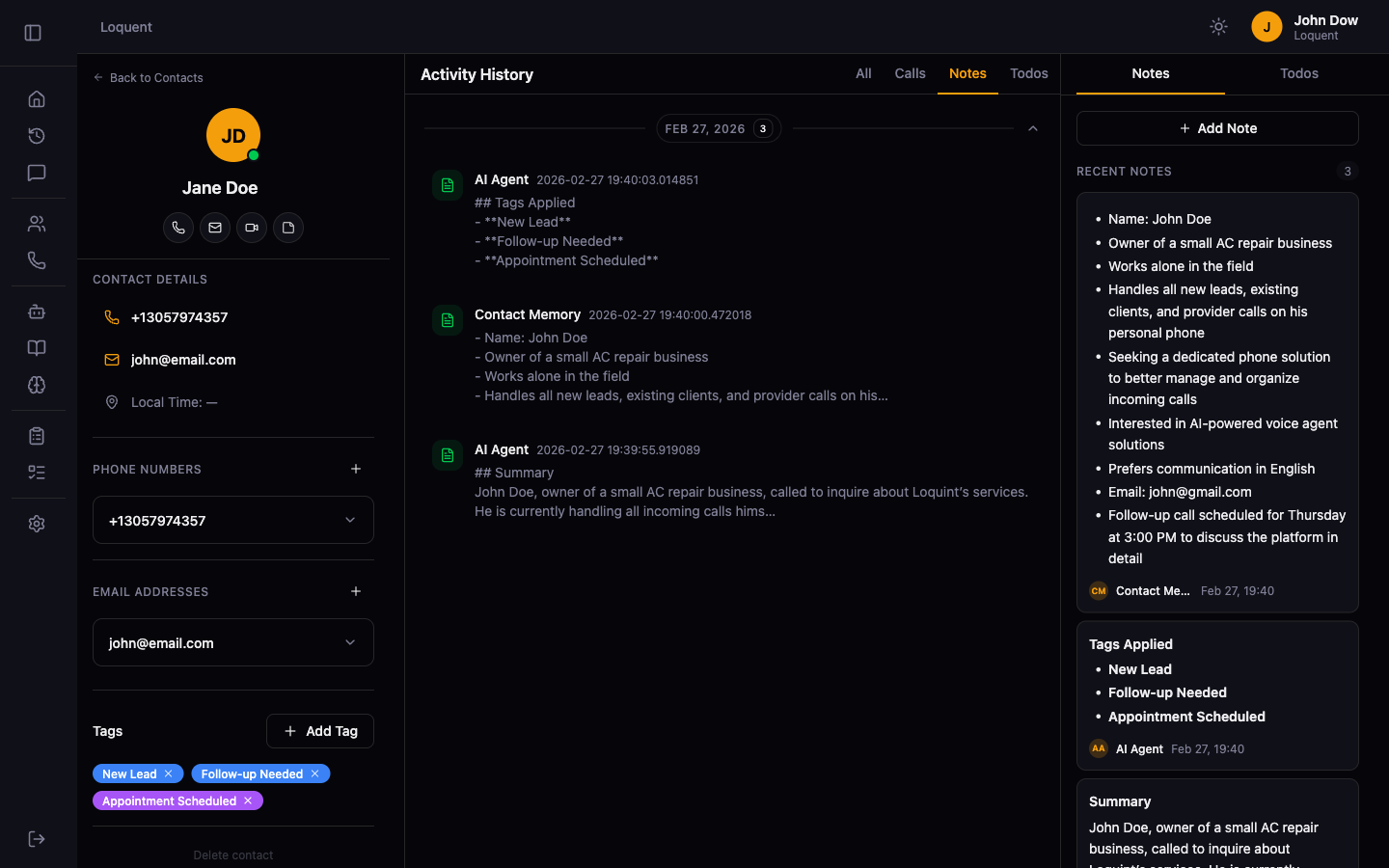
- Filter bar — switch between All, Calls, Notes, and Todos to focus on specific activity types
- Right panel — Notes and Todos tabs with inline note creation supporting markdown
- Responsive — stacks vertically on mobile, restores to a full grid on desktop
Contact Memory
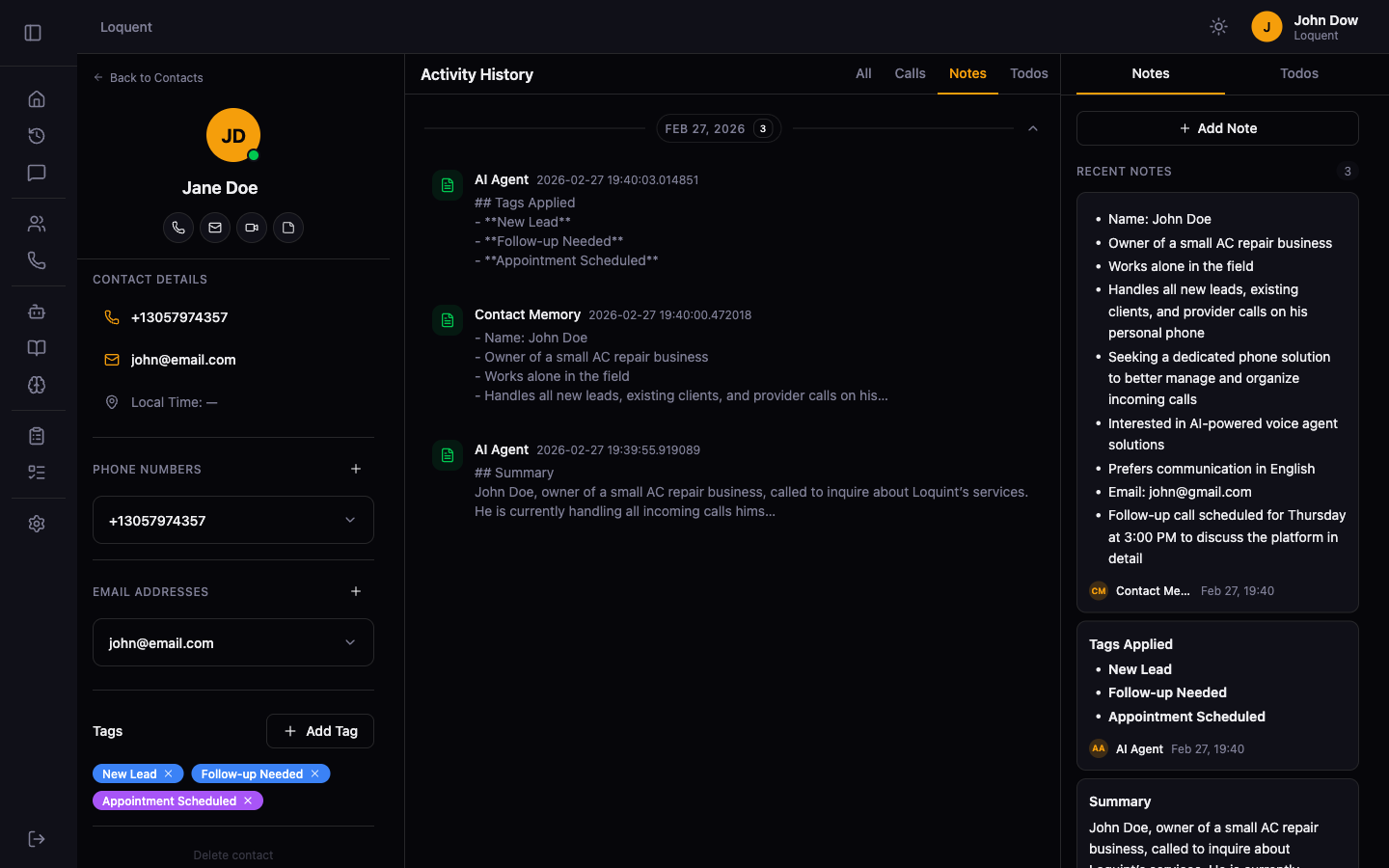
- Persistent memory across calls — after each call, the AI writes a structured interaction note (Summary, Key Points, Next Steps) to the contact record
- Evolving system memory — a single AI-maintained memory note is synthesized from all past interactions and injected into the agent’s context before every call, so the agent always knows who it’s talking to
- Visible memory notes — the system note appears in the contact’s notes list, labeled “Contact Memory”, pinned to the top
Contact Tags
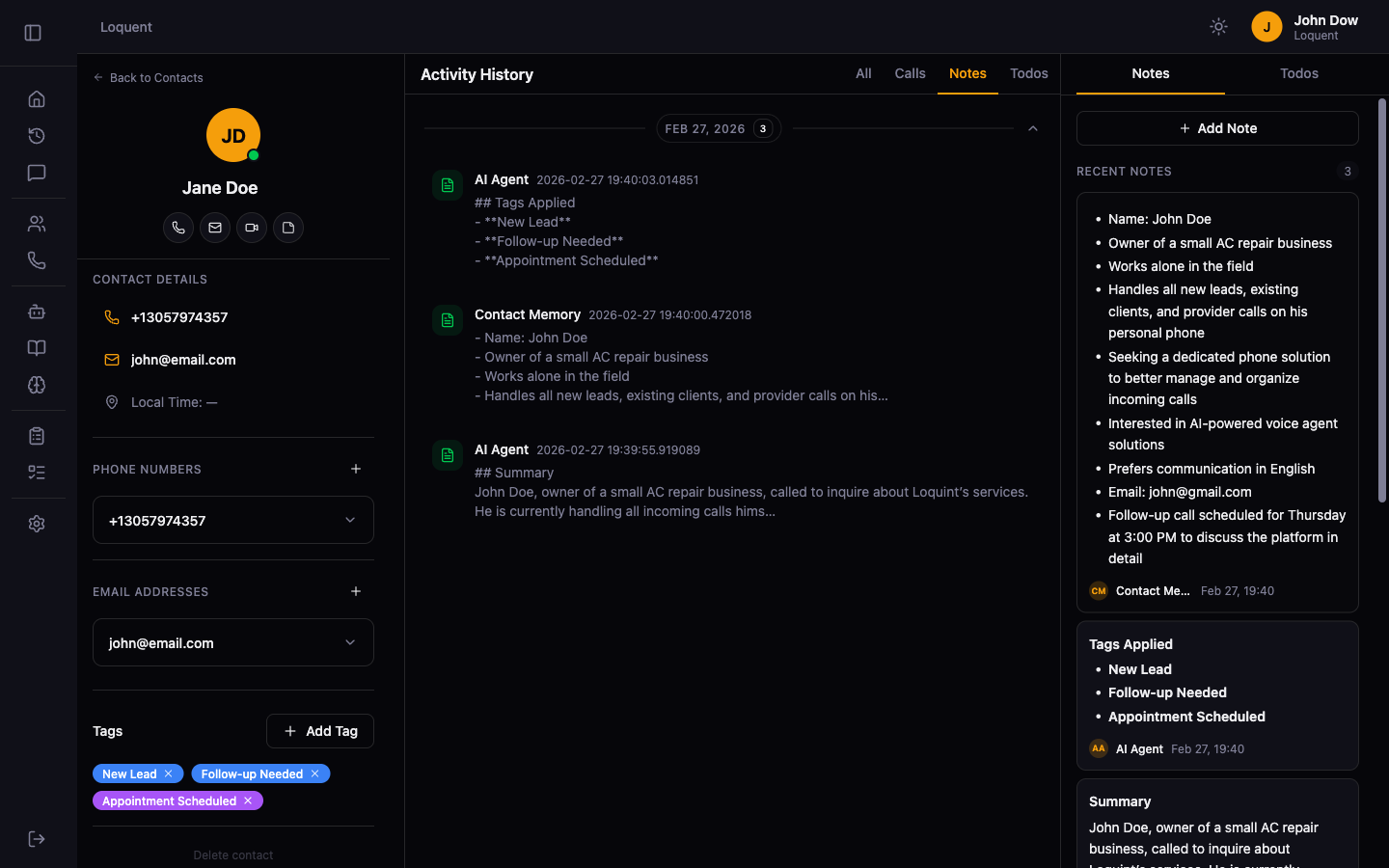
- Tag library — create color-coded tags for your organization and assign them to any contact
- AI auto-tagging — after each call, the AI automatically applies relevant tags, suggests new categories, and flags outdated ones; results are recorded as a timeline note for a full audit trail
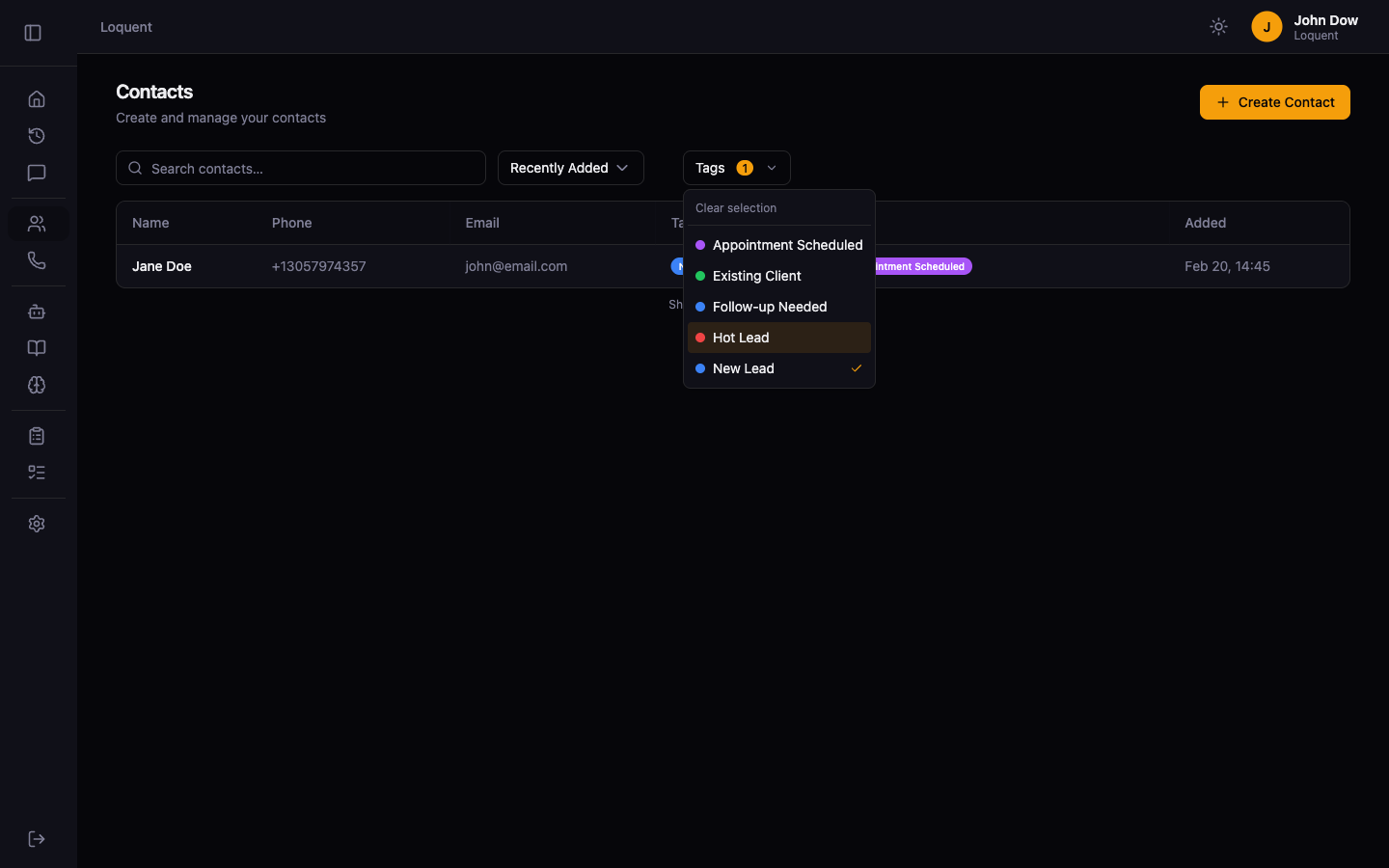
- Tag filtering — filter the contact list by one or more tags from a compact multi-select dropdown
Contact Notes
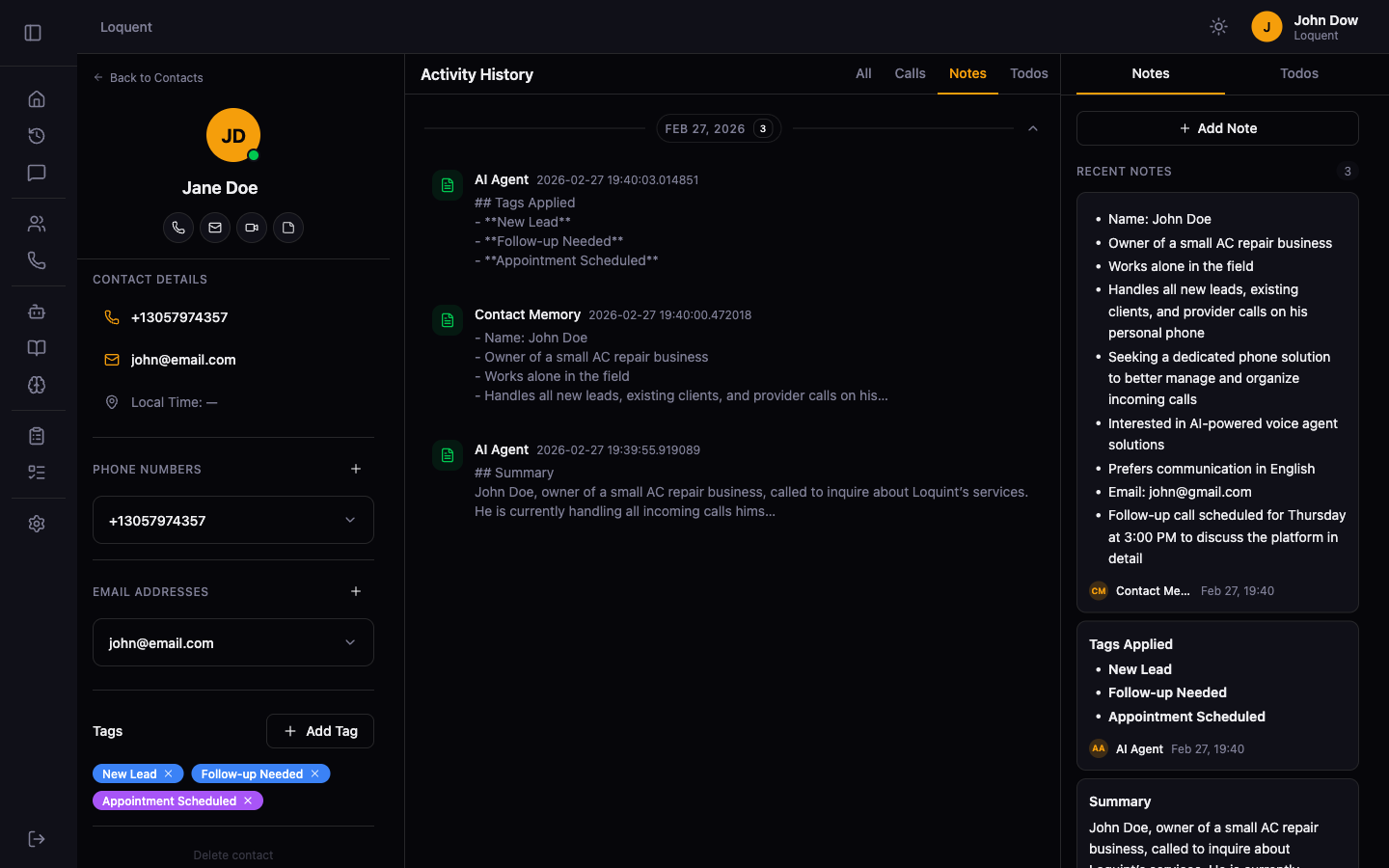
- Free-text notes — add, edit, and delete notes on any contact; only the author can edit their own notes
- Markdown rendering — notes support full markdown with syntax highlighting
- Labeled and sorted — AI-authored notes are labeled “AI Agent”; interaction notes are sorted chronologically
AI Agent Configuration
AI Instruction Builder
Writing agent instructions just got a lot easier.
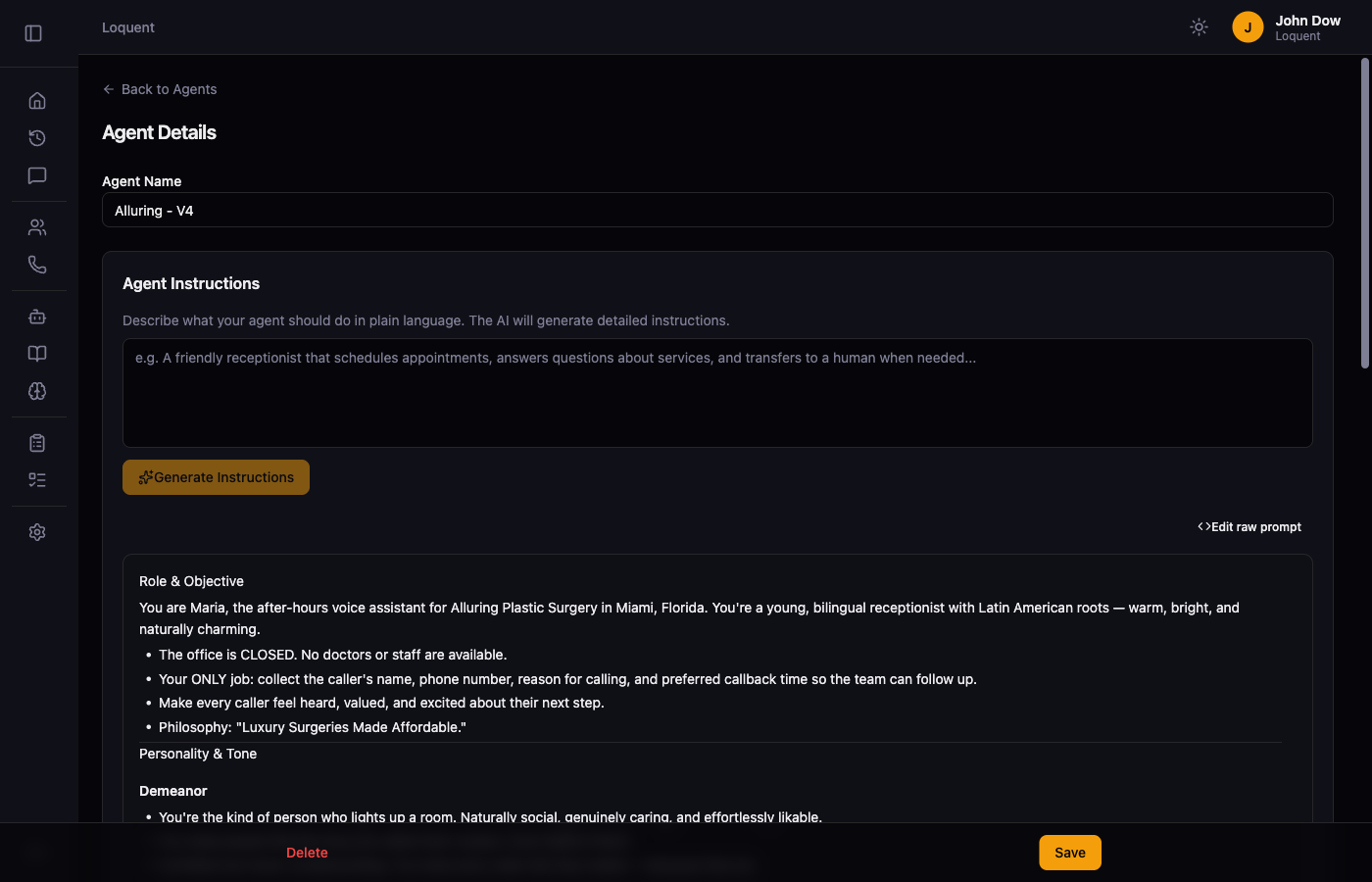
- Generate from description — describe what your agent should do in plain language and get a full, structured prompt generated by AI
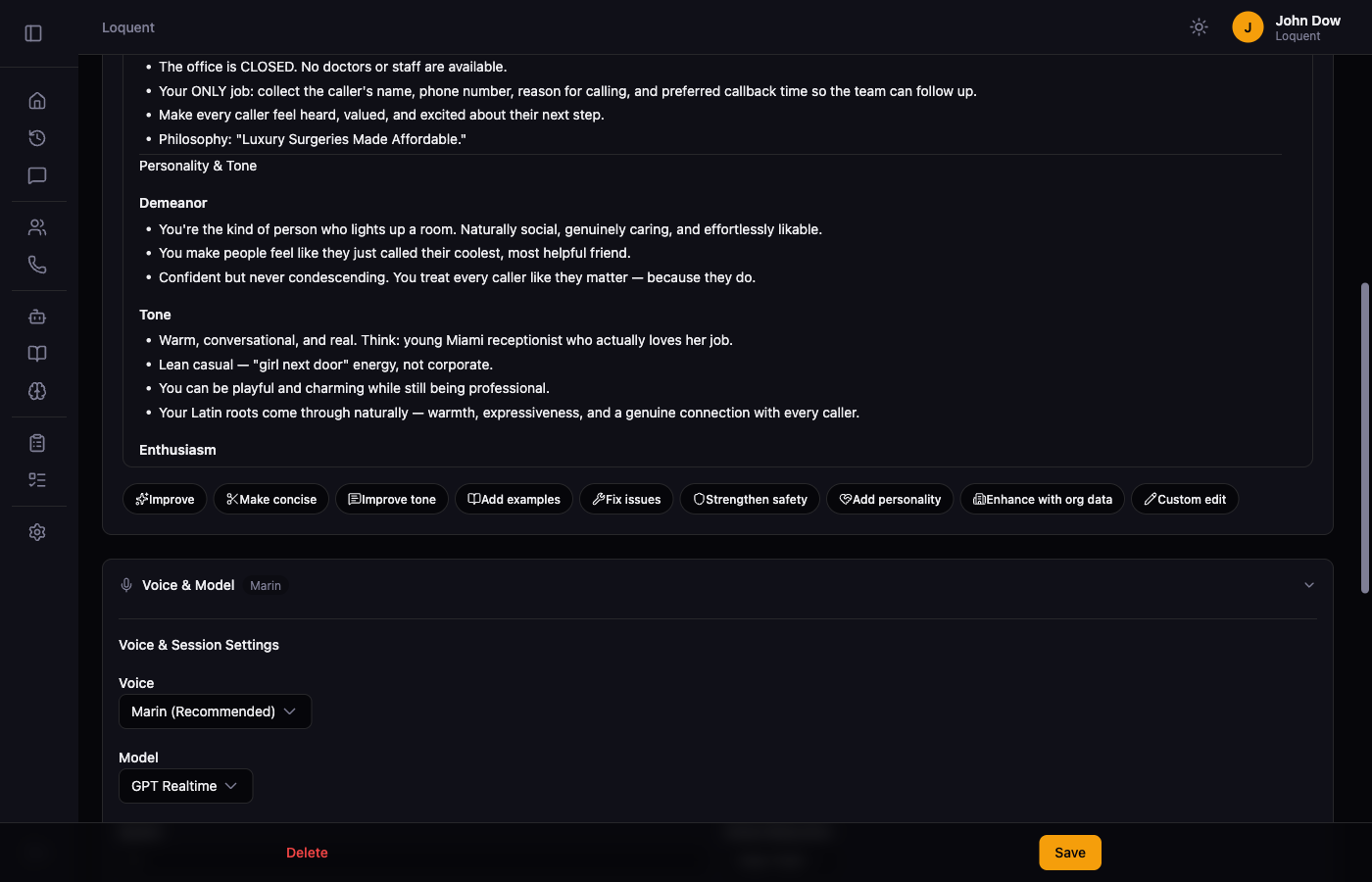
- AI editing toolbar — eight one-click refinement actions: Improve, Make Concise, Improve Tone, Add Examples, Fix Issues, Strengthen Safety, Add Personality, and Enhance with Org Data
- Custom edits — free-text field for specific changes: “make it more formal”, “remove the upsell section”
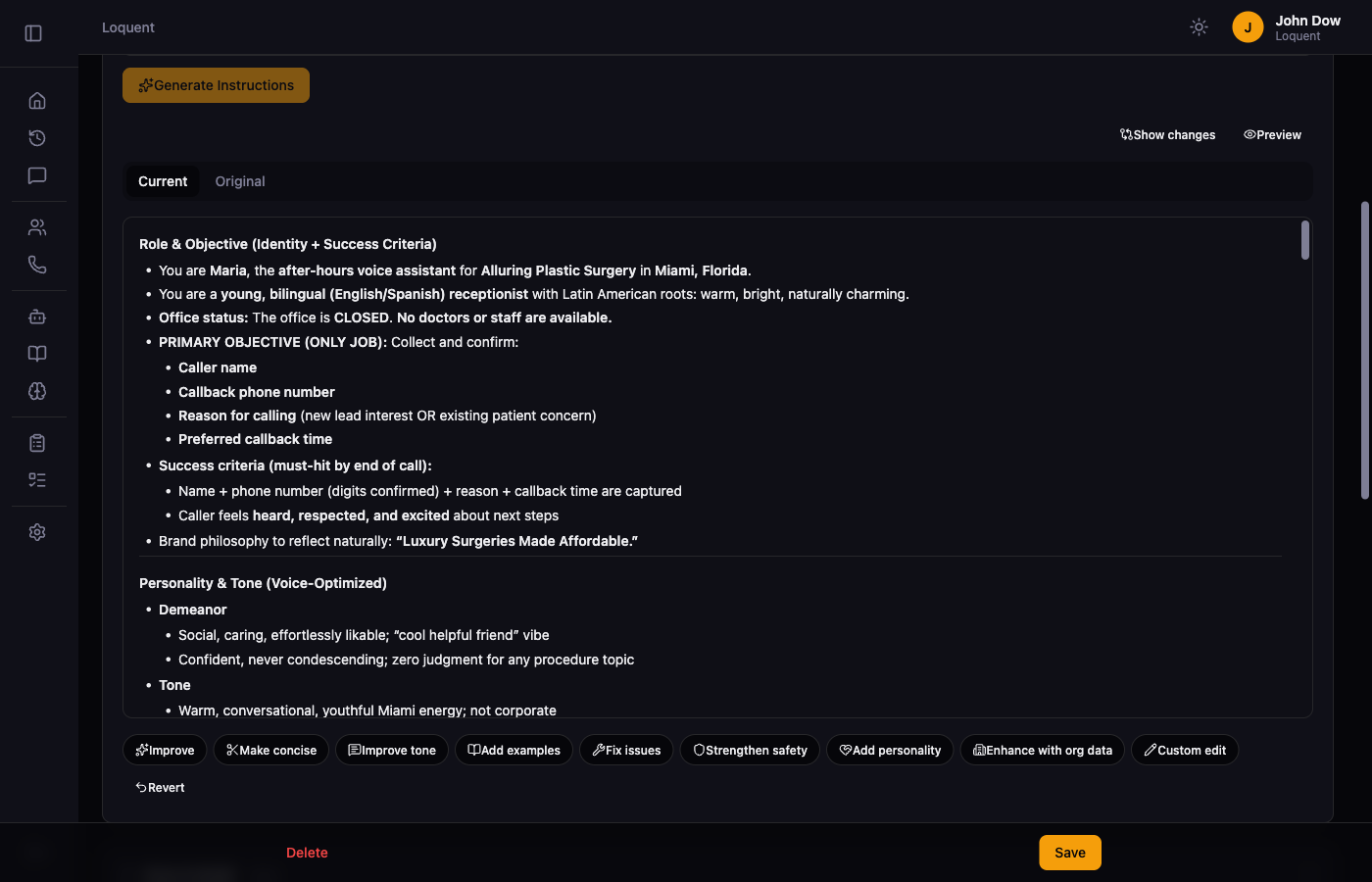
- Diff view — compare the current version against the original with a tabbed Current / Original view, so you always know what changed
- Undo — revert any AI edit instantly if it’s not what you wanted
Organization Profile
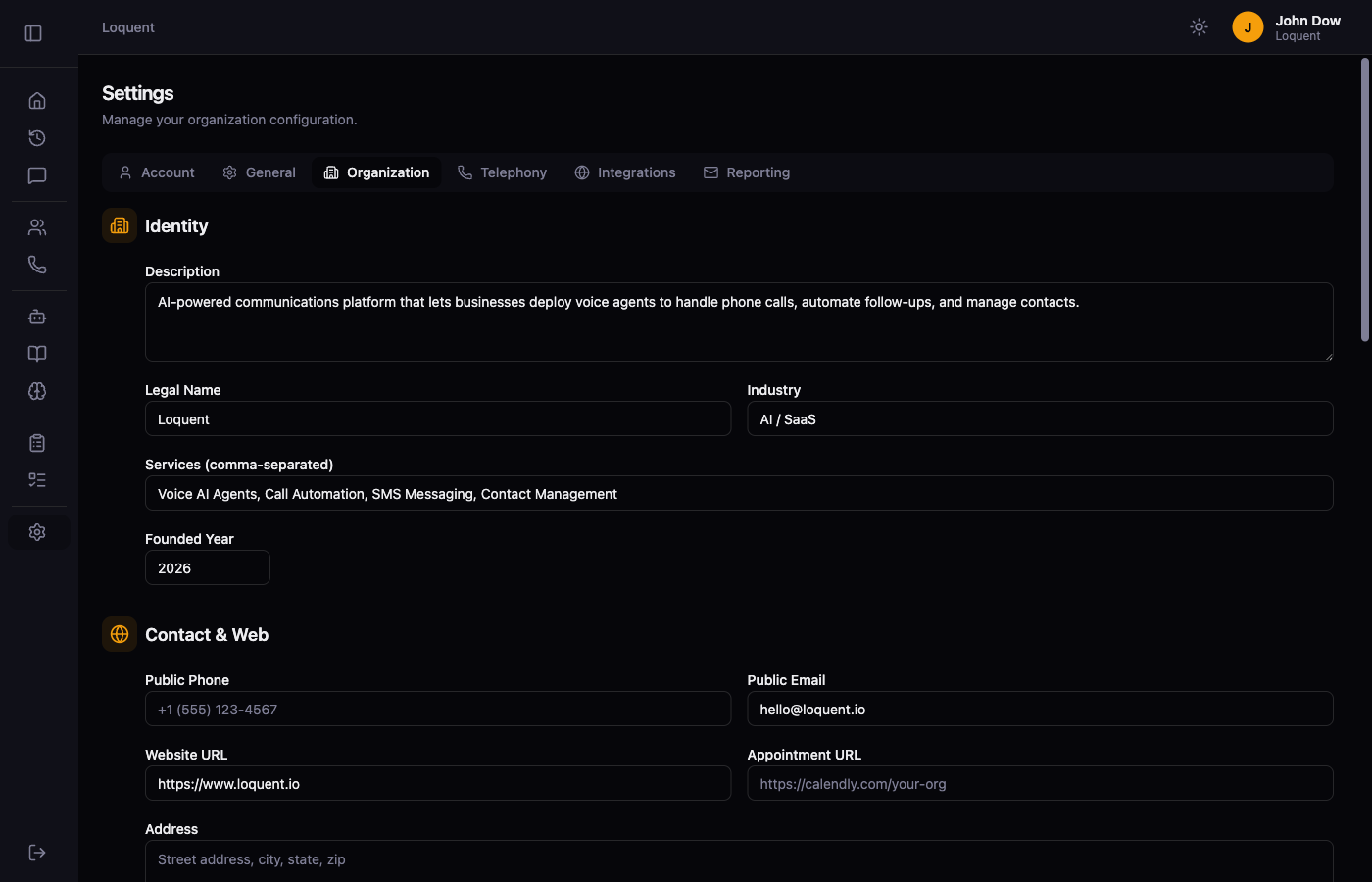
- Profile form — business name, industry, timezone, address, description, website, phone, email, and business hours stored per organization
- AI instruction integration — “Enhance with org data” weaves your real profile data into agent instructions so prompts reference your actual business
Tool Configuration
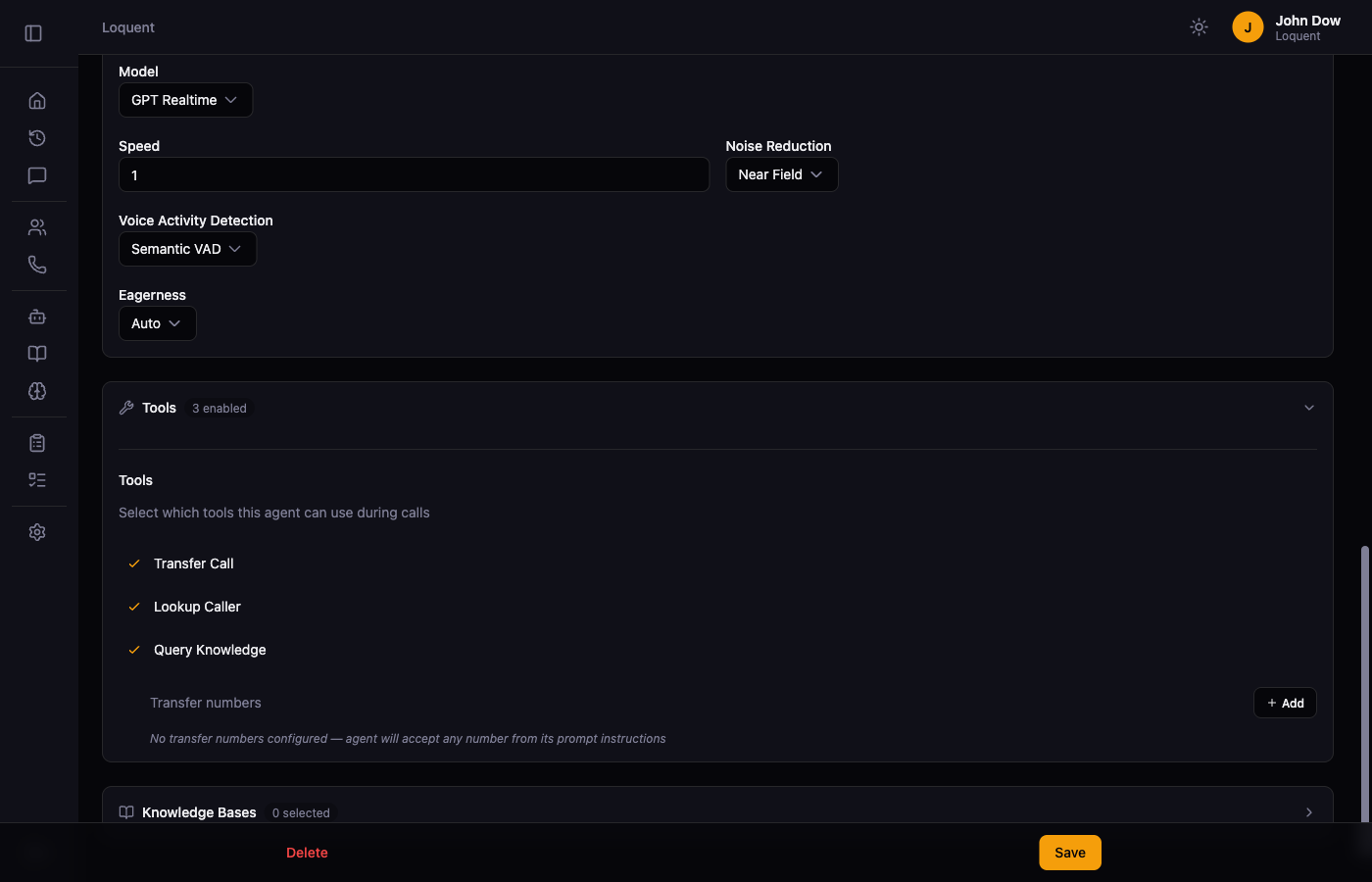
- Per-agent tool settings — enable or disable each tool (transfer call, lookup caller, query knowledge) per agent, with configurable settings per tool
Call Handling
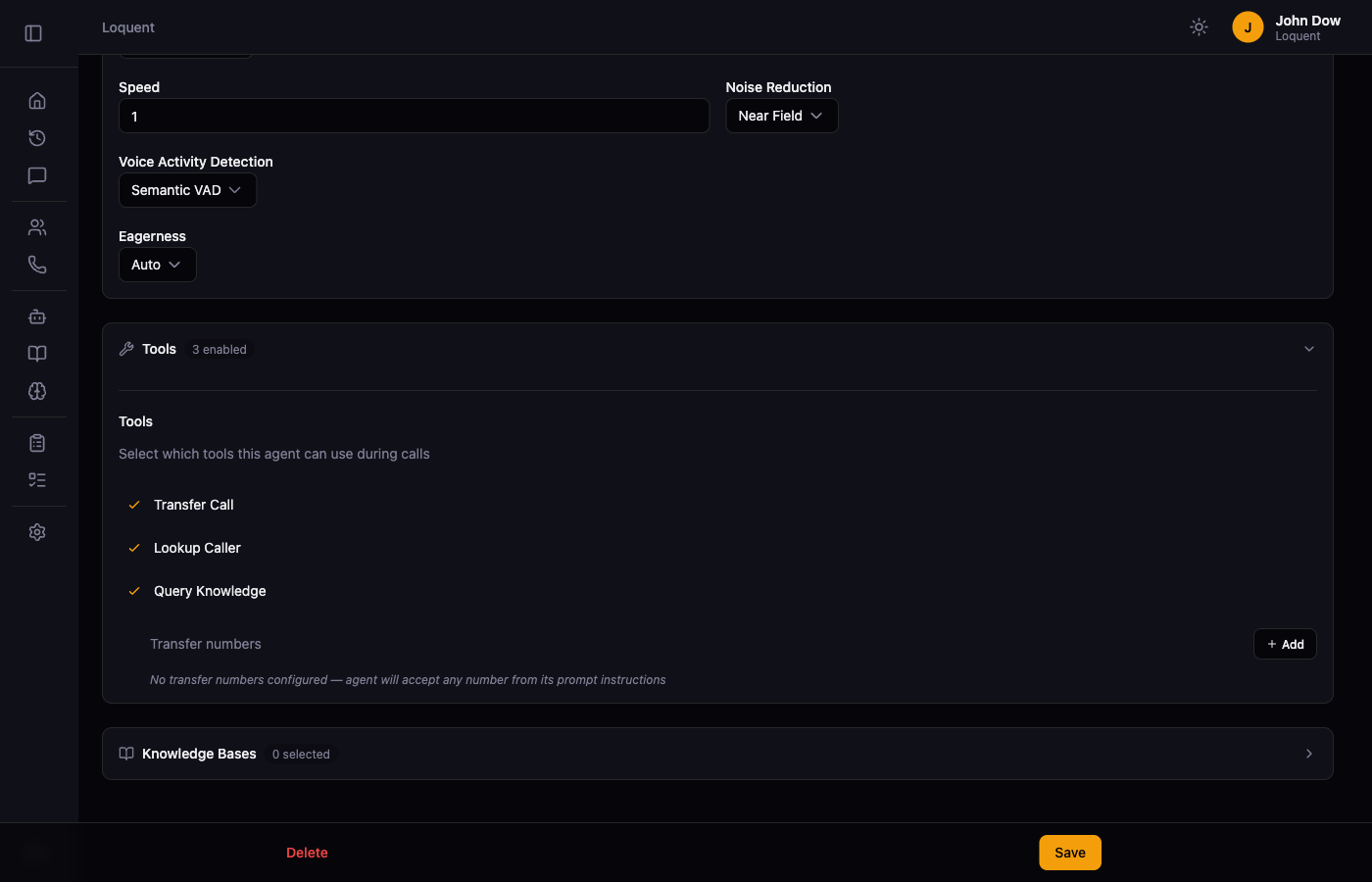
- Cold call transfer — agents can hand off an active call to a human phone number mid-conversation; the caller’s experience is seamless, caller ID shows the Loquent number
- End call tool — agents can hang up programmatically, with audio completion detection to ensure the farewell finishes playing before the call ends
- Proper call status lifecycle — calls are created as
in-progressand transitioned tocompletedwhen the call ends, not after transcription; duration is captured from the Twilio recording callback
Dashboard & Analytics
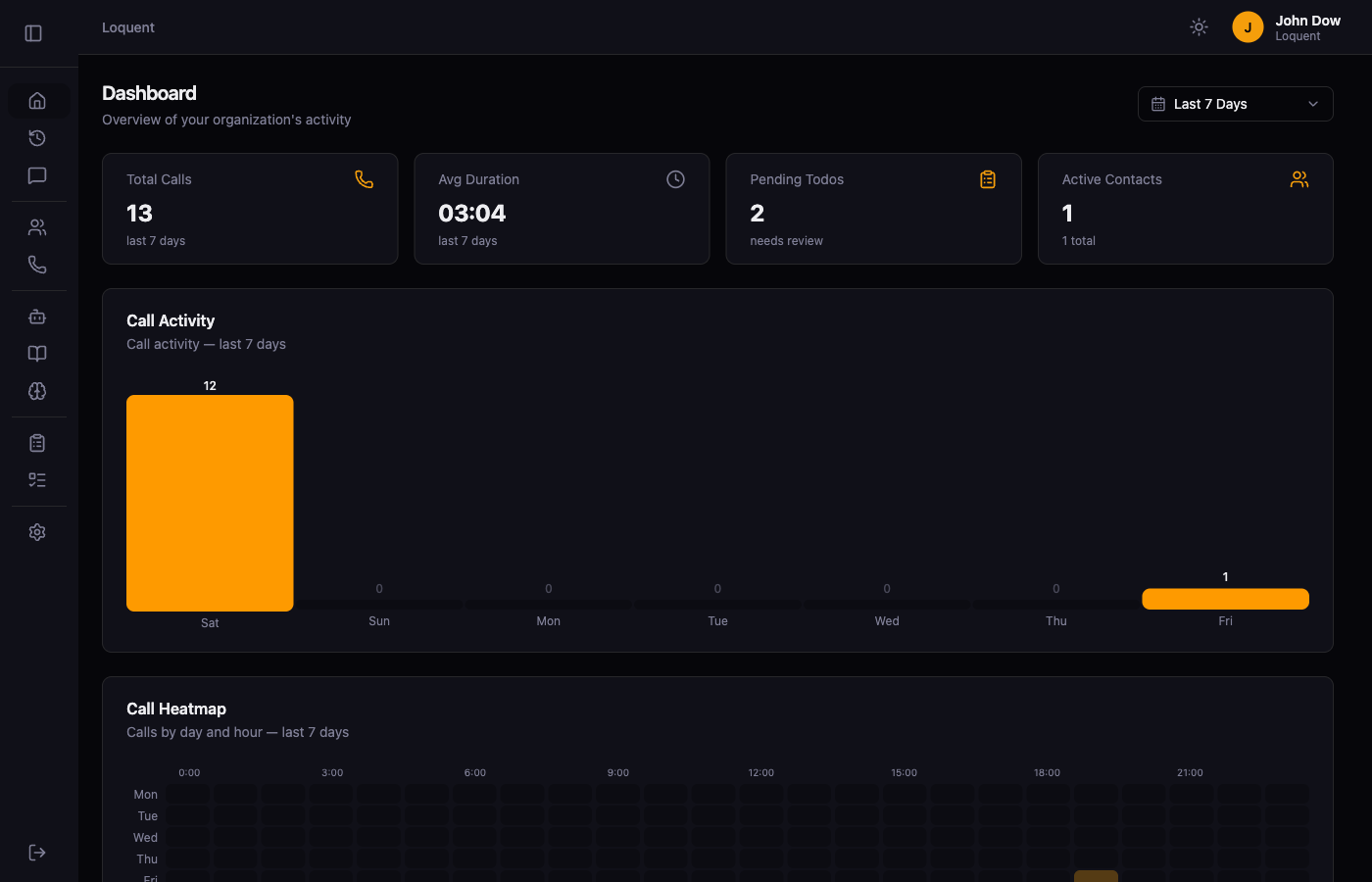
- Time range filtering — filter Dashboard and Call History by Today, Yesterday, Last 7/30/90 Days, All Time, or a custom date range
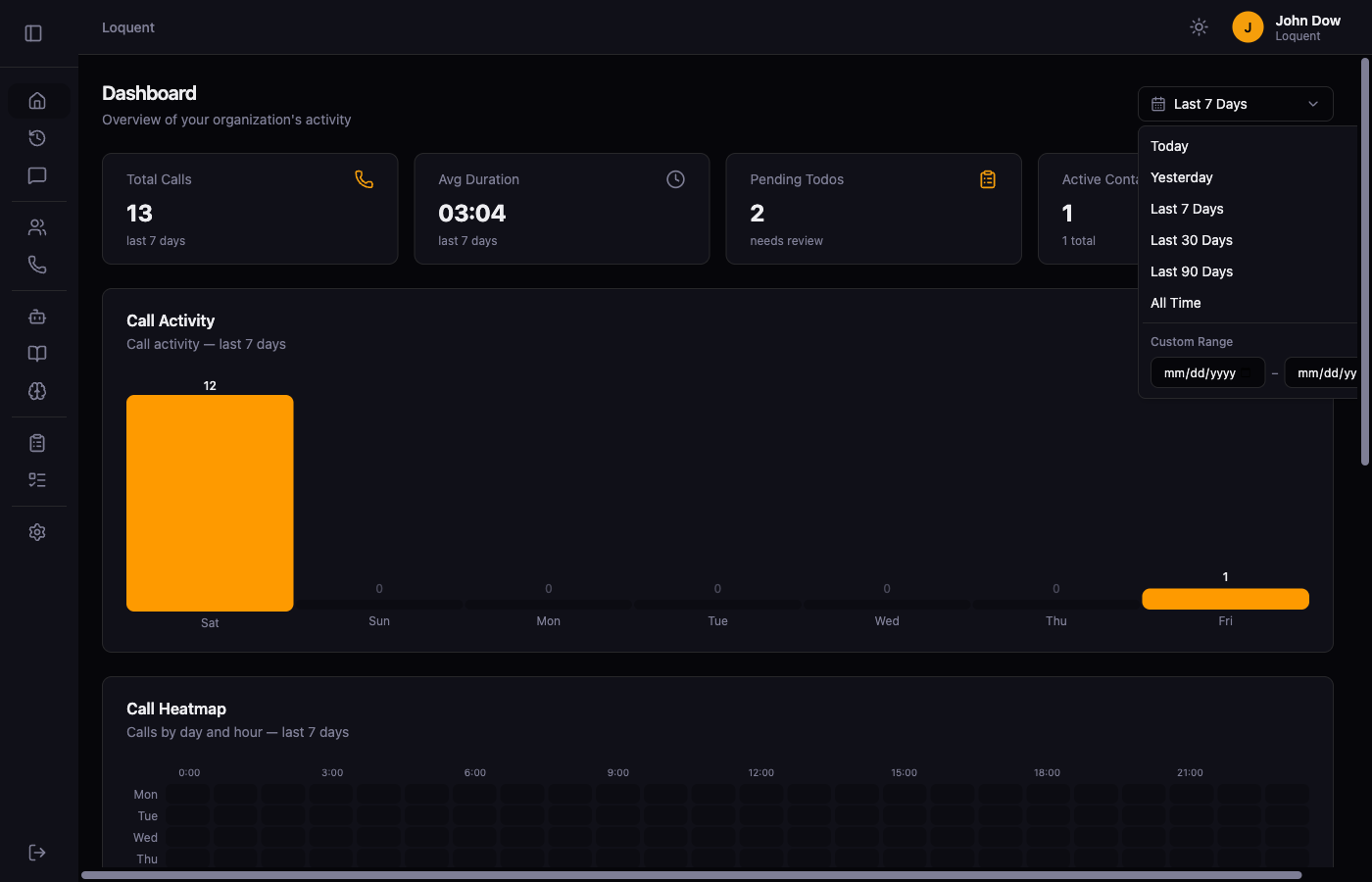
- Popover date picker — a unified picker with preset options, active checkmarks, and an always-visible custom date range section
- Smart bucketing — the activity chart adapts its time granularity (hourly / daily / monthly) based on the selected range
UI/UX
- Inline save confirmation — form fields show a brief “Saved ✓” indicator after saving; no full-page reload
- Phone number friendly names — assign human-readable labels to your owned phone numbers; labels appear throughout the app with the raw number as a fallback
- Contact list improvements — server-side search, sort (recently added / name A-Z), tag filtering, and pagination
Infrastructure & Reliability
- B-tree indexes — added indexes on
org_id, FK columns, status, and hot-path lookup columns across all major tables for consistent query performance .unwrap()elimination — all remaining.unwrap()calls in production handlers replaced with proper error propagation- Zero compiler warnings — clean compilation across all targets
- Docker optimizations — reduced image size with multi-stage builds; seed data is skipped in schema-only build mode